> ## Documentation Index
> Fetch the complete documentation index at: https://docs.codiris.build/llms.txt
> Use this file to discover all available pages before exploring further.
# Quickstart
> Start building products people want with codiris
### Step 1
1. Open your browser and navigate to [**app.codiris.build**](http://app.codiris.build).
2. **Create Account**
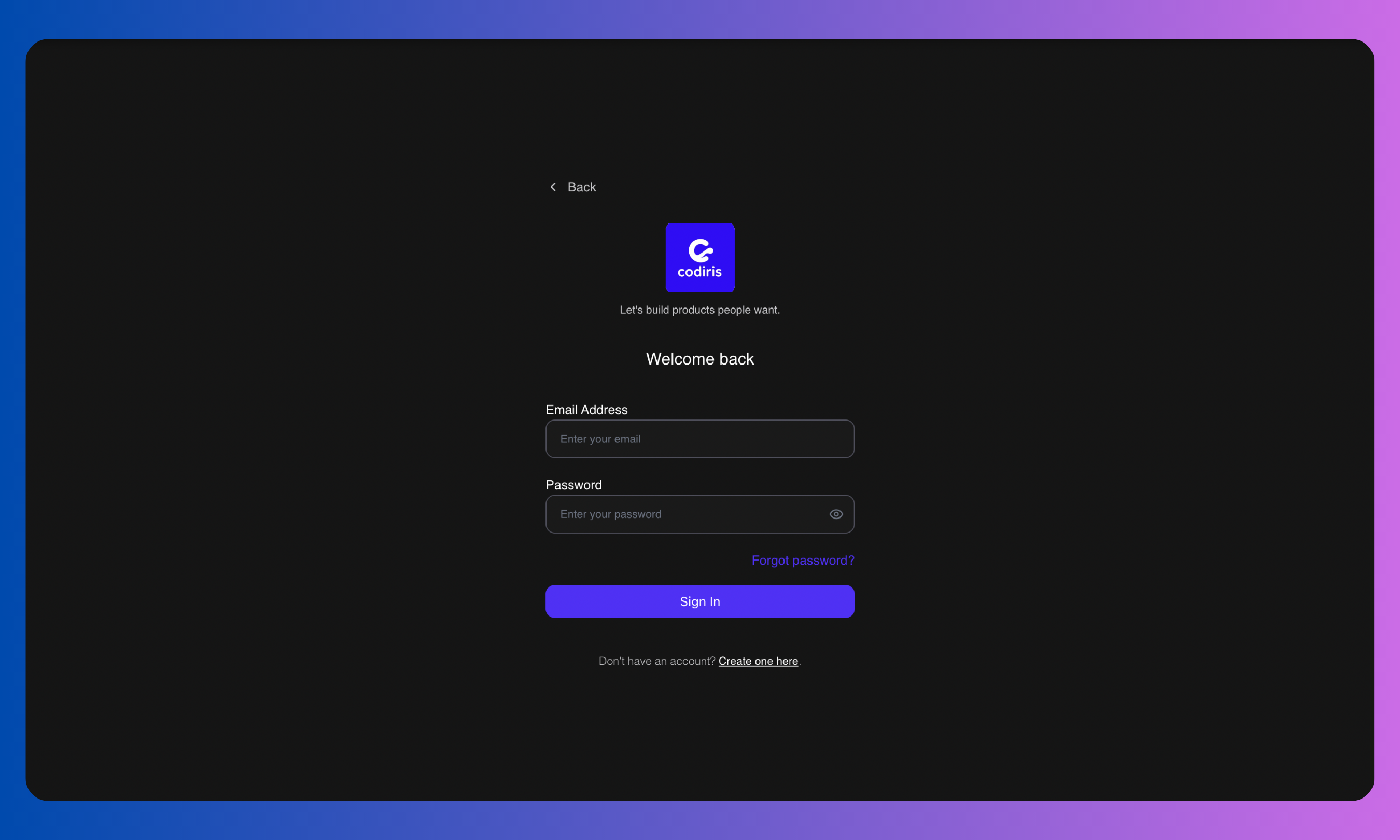 Click **Create Account**. You have two options:
**Sign up with Google**: Click the Google button and complete the onboarding form.
**Sign up with Email**:
* Enter your email and create a password. Your password must be **at least 6 characters** and include:
* One capital letter
* One number
* One symbol
* Check your inbox (if you can’t find the email in your inbox, check your junk or spam folders) and confirm your email by clicking the button in the verification email.
3. **Login**
Click **Create Account**. You have two options:
**Sign up with Google**: Click the Google button and complete the onboarding form.
**Sign up with Email**:
* Enter your email and create a password. Your password must be **at least 6 characters** and include:
* One capital letter
* One number
* One symbol
* Check your inbox (if you can’t find the email in your inbox, check your junk or spam folders) and confirm your email by clicking the button in the verification email.
3. **Login**
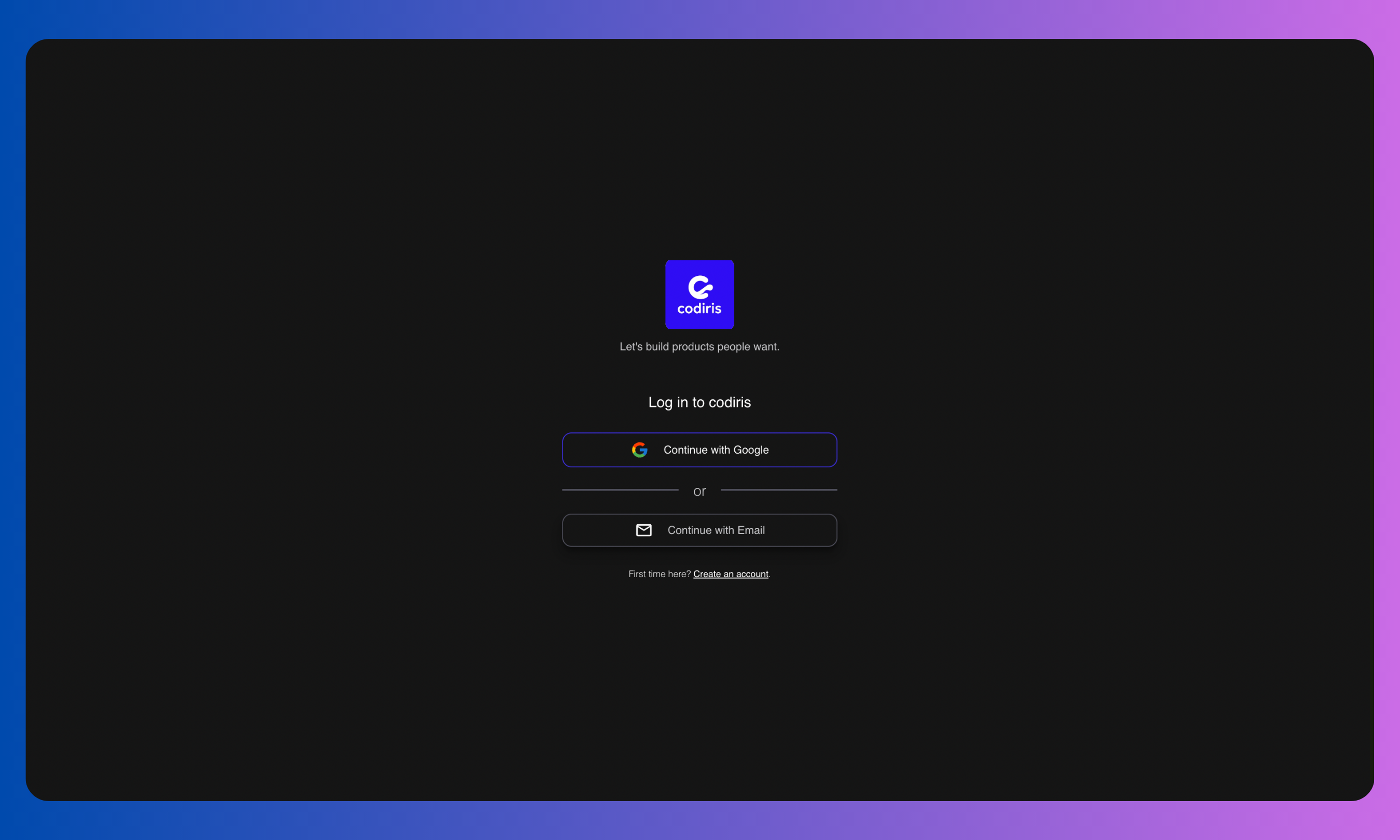 Once your account is confirmed, return to [**app.codiris.build**](http://app.codiris.build) and log in with your email and password (or your Google account).
4. **Onboarding Form**\
Fill out the onboarding form. If you complete every field, you’ll earn **100 extra credits**.
5. **Start Building**\
You’re in! Begin exploring Codiris and start building your first project.
### Step 2
Every project in Codiris follows six phases:
1. **Brainstorm**
Once your account is confirmed, return to [**app.codiris.build**](http://app.codiris.build) and log in with your email and password (or your Google account).
4. **Onboarding Form**\
Fill out the onboarding form. If you complete every field, you’ll earn **100 extra credits**.
5. **Start Building**\
You’re in! Begin exploring Codiris and start building your first project.
### Step 2
Every project in Codiris follows six phases:
1. **Brainstorm**
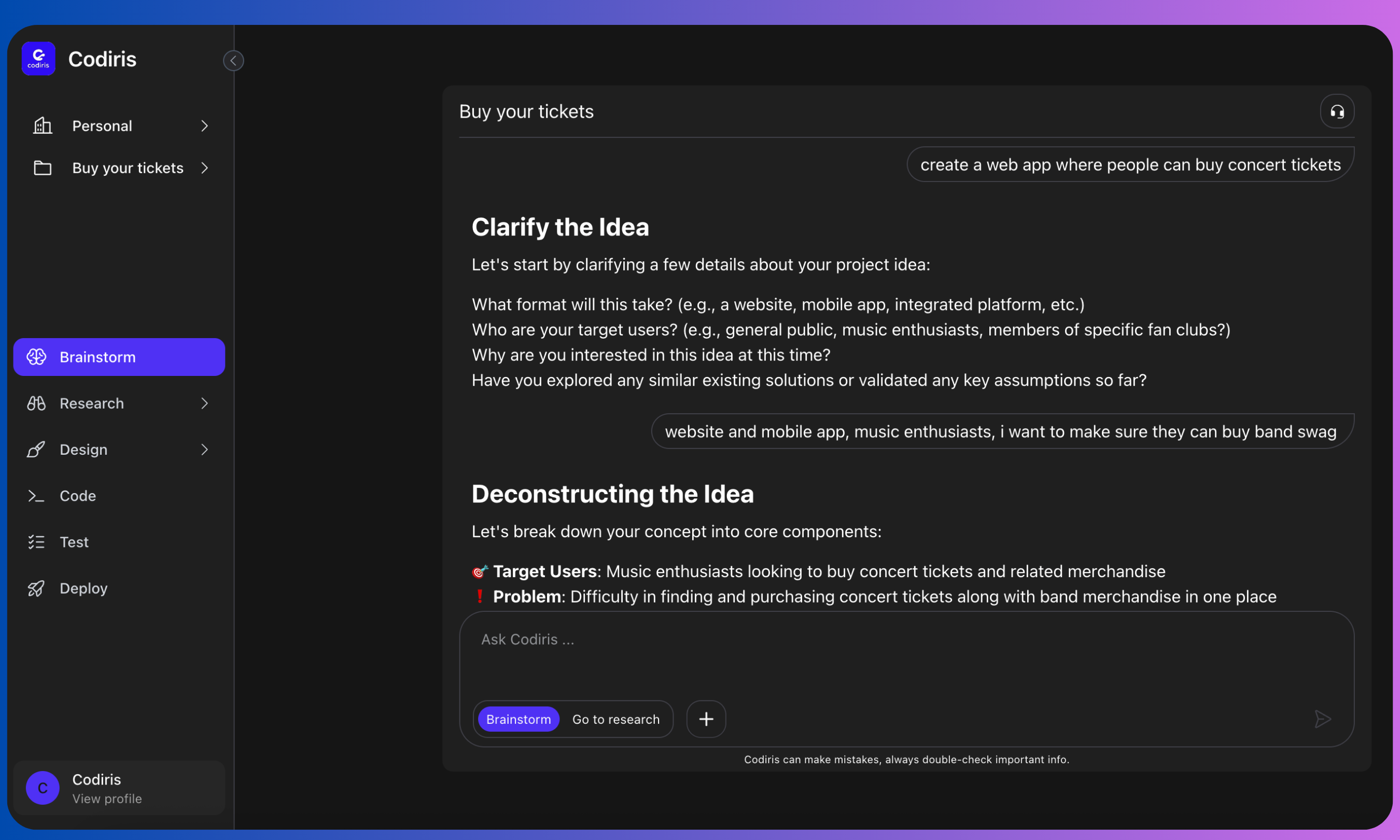 \
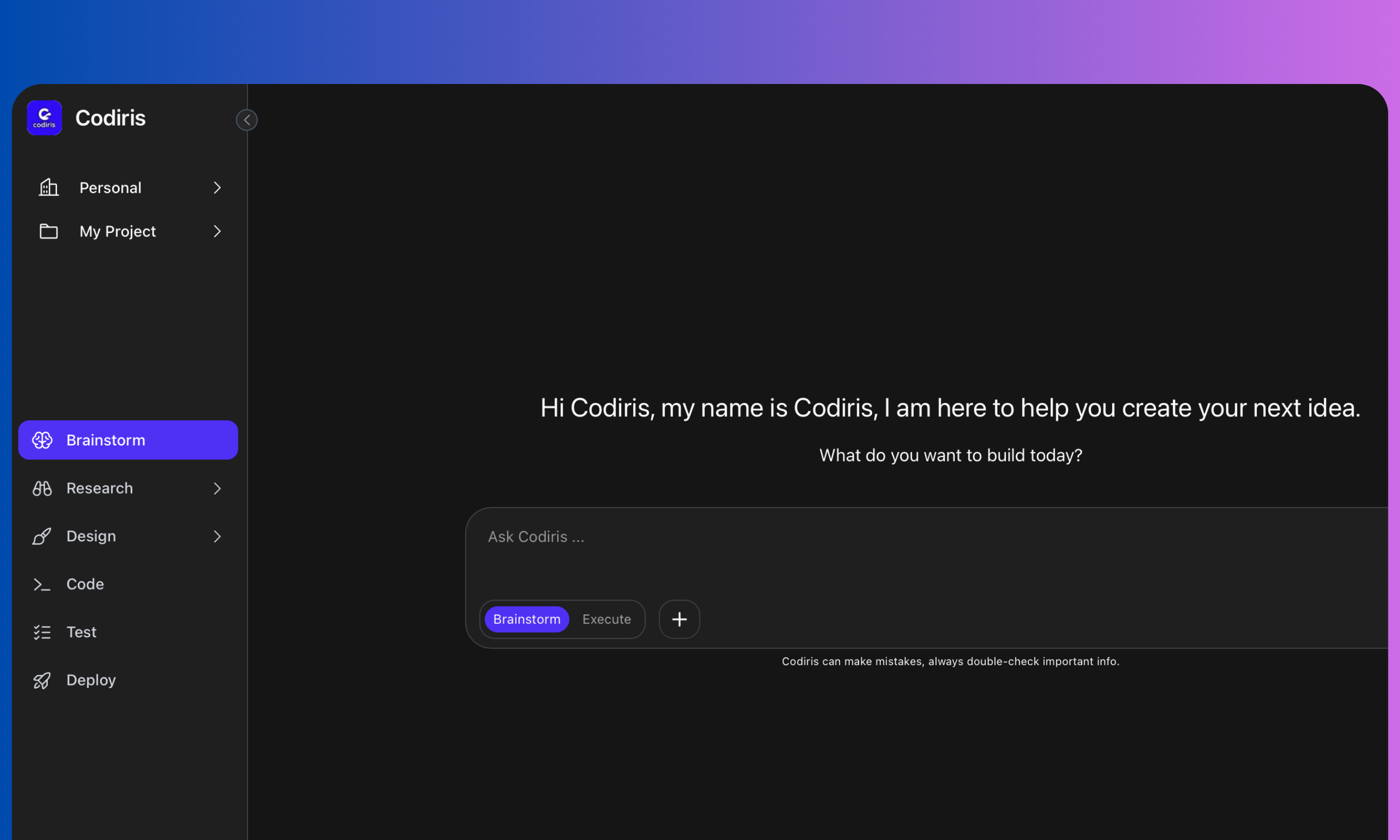
Write a prompt and brainstorm with Codiris. He will ask clarifying questions, deconstruct your idea, and offer to start the market research. You can continue brainstorming as long as you want.
2. **Research**
\
Write a prompt and brainstorm with Codiris. He will ask clarifying questions, deconstruct your idea, and offer to start the market research. You can continue brainstorming as long as you want.
2. **Research**
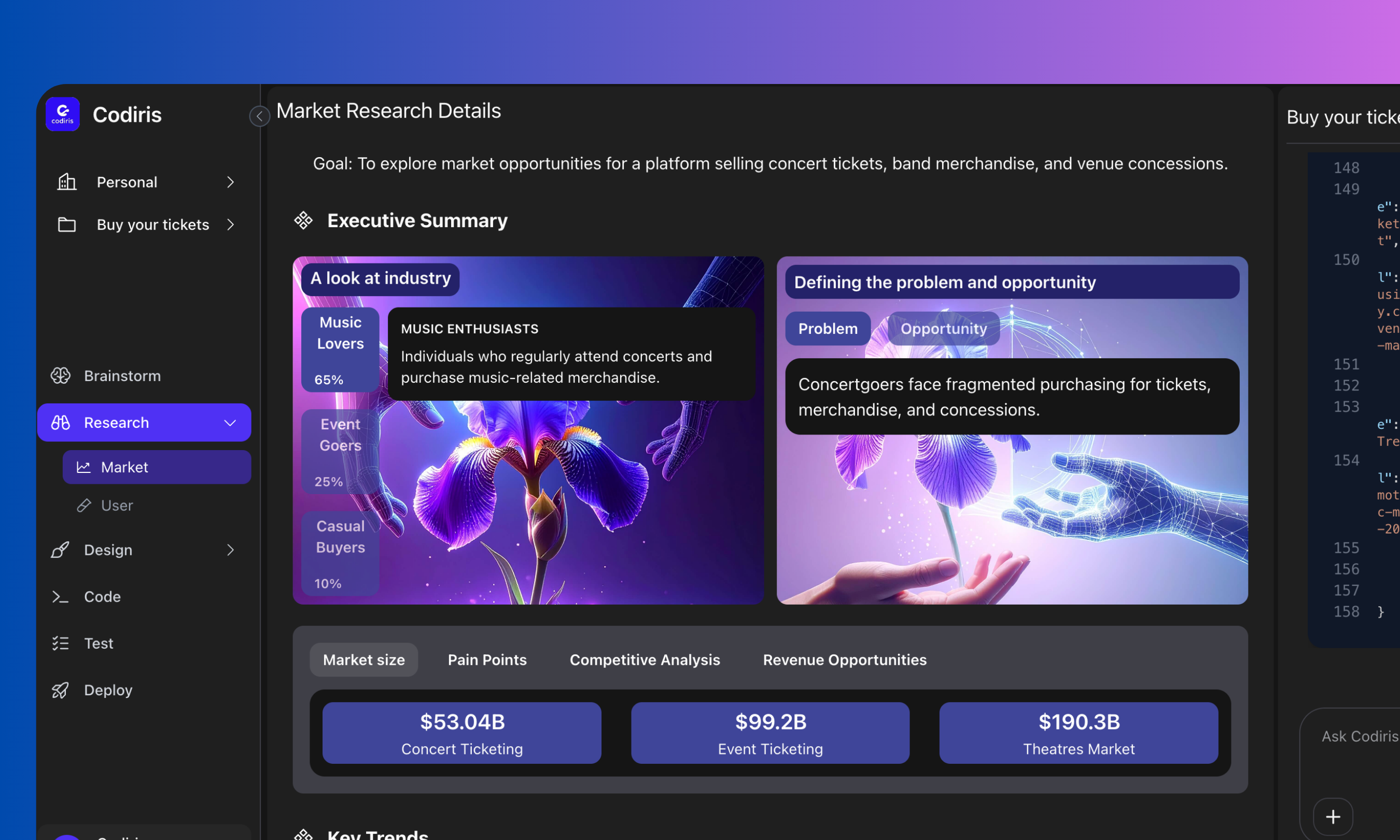 3. When you’re ready, click “Go To Research” in the chat box. Codiris will show you:
4. Main industry players
5. The problem and opportunity for your project
6. Market size and trends
7. Competitive analysis
8. Industry pain points
9. Revenue opportunities
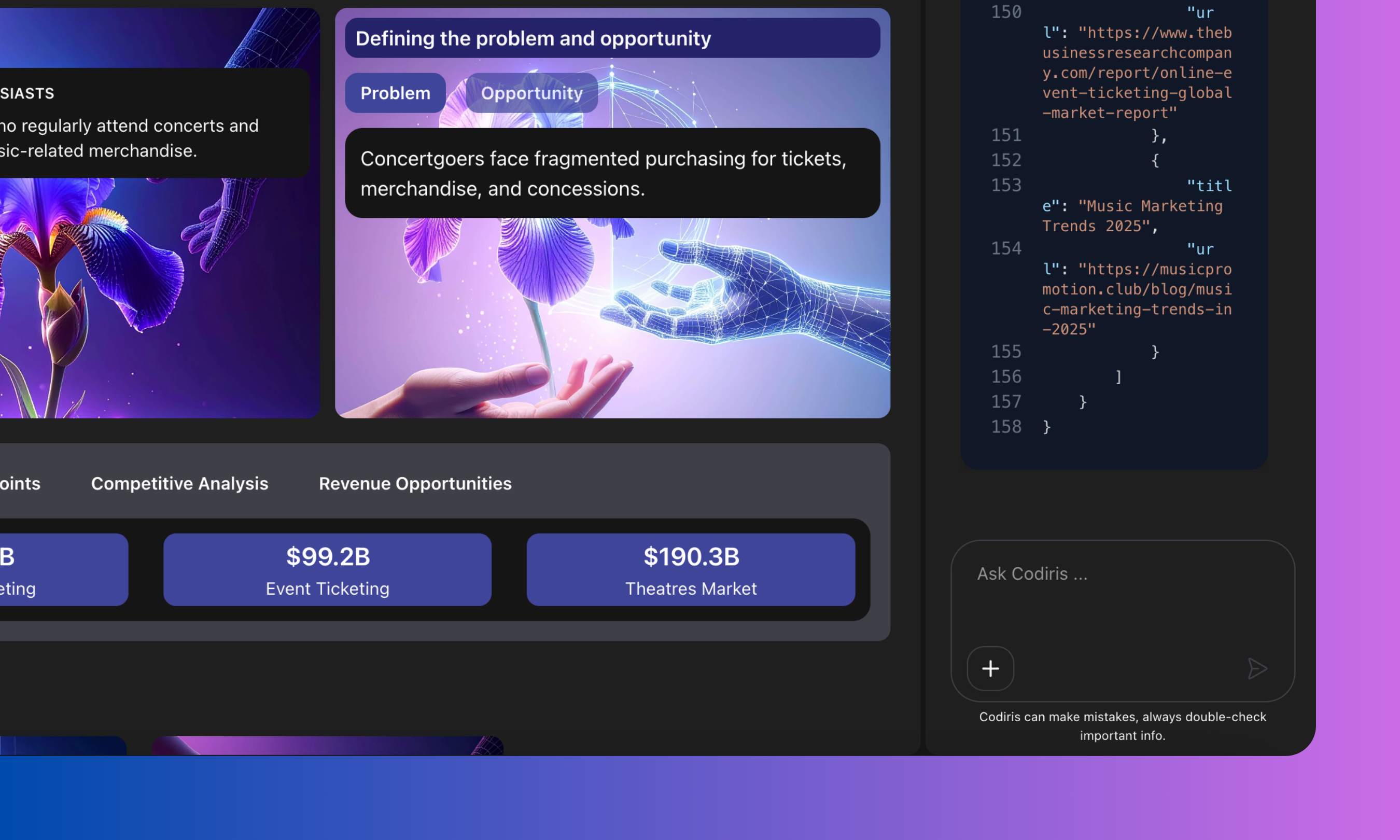
If you want more information, just ask in the chat.
3. When you’re ready, click “Go To Research” in the chat box. Codiris will show you:
4. Main industry players
5. The problem and opportunity for your project
6. Market size and trends
7. Competitive analysis
8. Industry pain points
9. Revenue opportunities
If you want more information, just ask in the chat.
 \
\*\*Coming soon: User research, where Codiris will create a research plan, conduct interviews, compile insights, and give you recommendations to iterate.
3. \*\*Design \*\*
**3.1 Stories**
\
\*\*Coming soon: User research, where Codiris will create a research plan, conduct interviews, compile insights, and give you recommendations to iterate.
3. \*\*Design \*\*
**3.1 Stories**
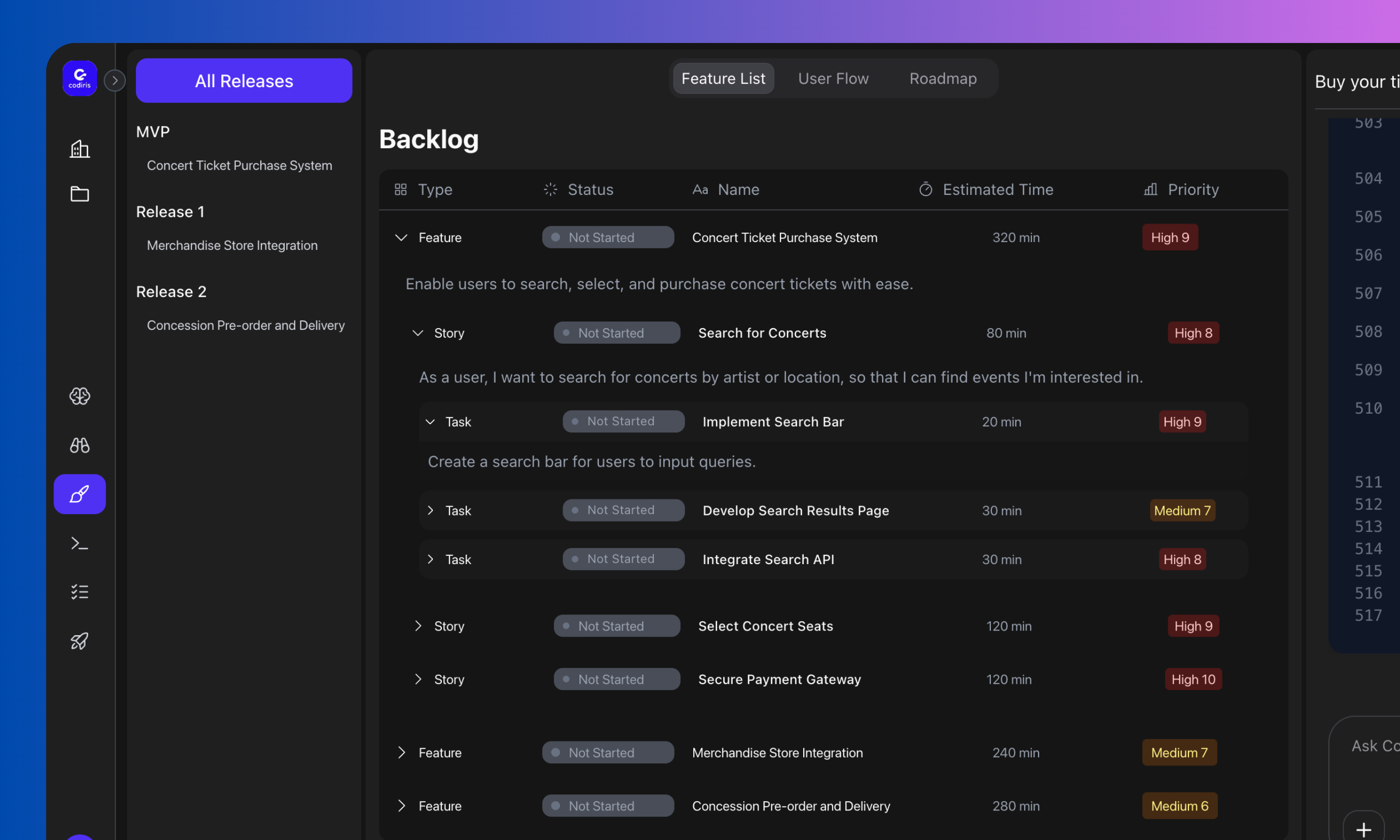 Once research feels complete, move to the Design phase.
Codiris will:
* Draft a backlog of features
* Draft a backlog of features
* Create user stories and tasks
* Organize them by versions (MVP, Release 1, etc.)
You can add, remove, or reprioritize features directly in the chat.
**3.2 Branding**
Once research feels complete, move to the Design phase.
Codiris will:
* Draft a backlog of features
* Draft a backlog of features
* Create user stories and tasks
* Organize them by versions (MVP, Release 1, etc.)
You can add, remove, or reprioritize features directly in the chat.
**3.2 Branding**
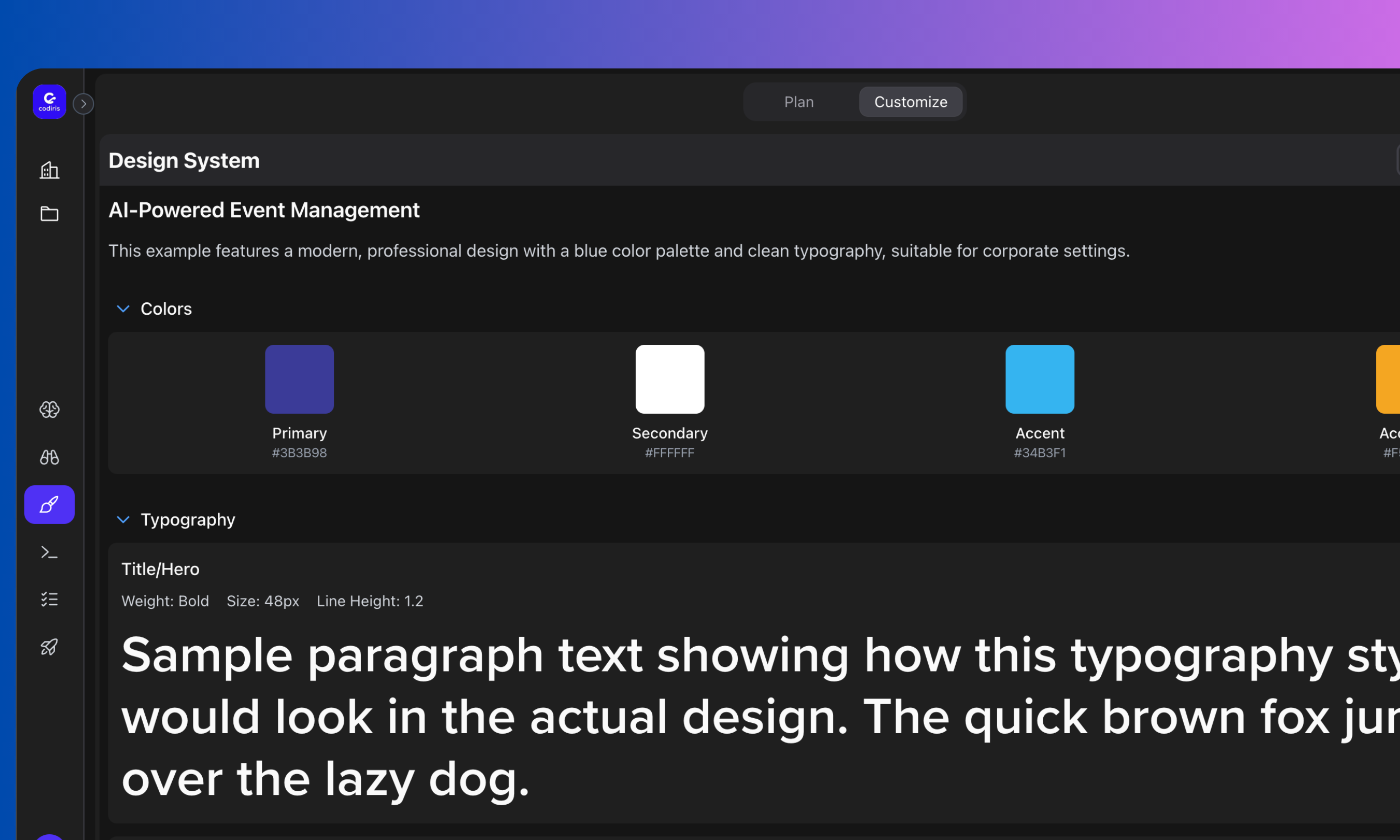 Choose the release you want to work on (MVP or all releases). Then:
* Upload inspiration images or a design system (images only for now, Figma support coming soon)
* Add notes with extra details
* Or let Codiris create a design system automatically by clicking “Let Codiris Do It”
4. **Developpement**
**4.1 Frontend**\
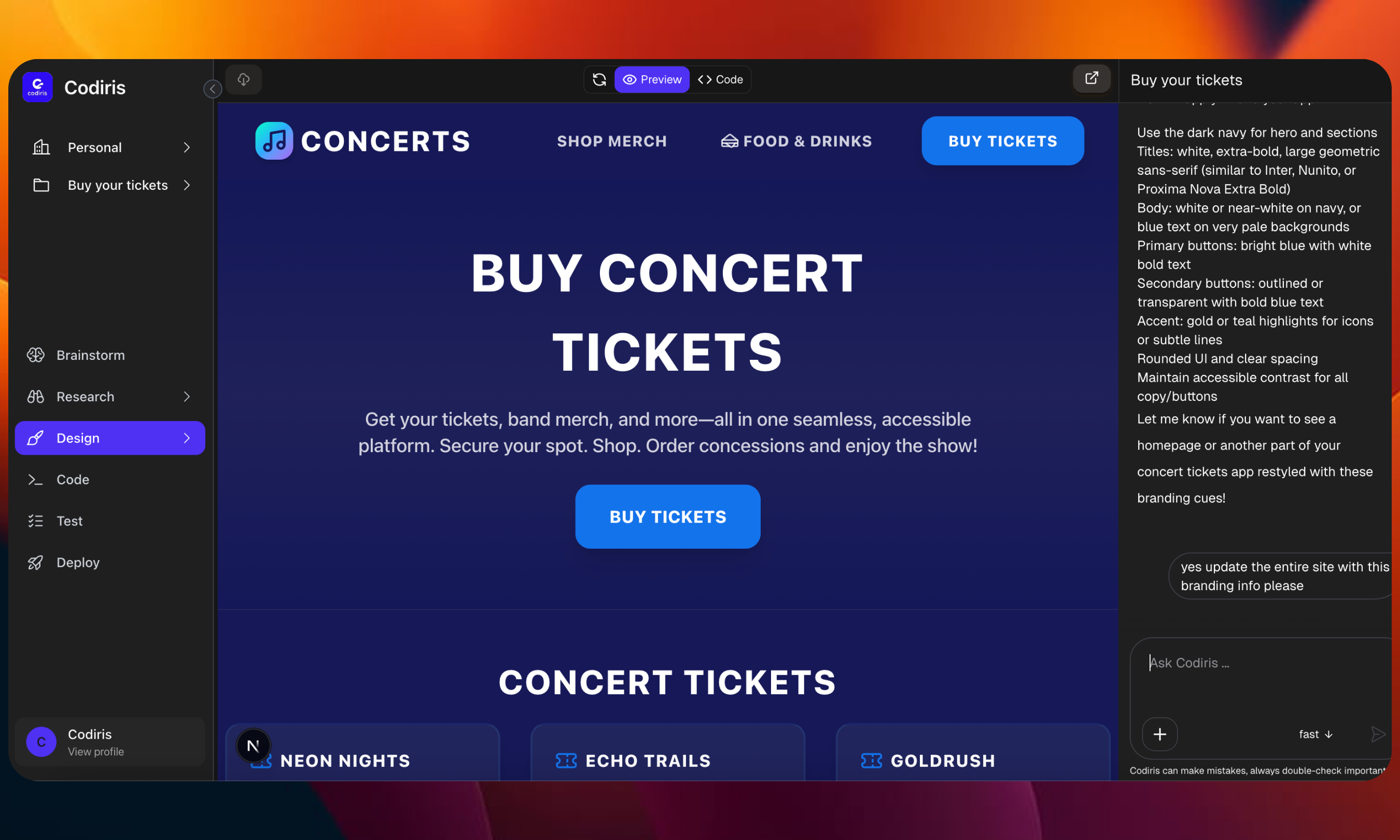
With the design system ready, Codiris will generate the first iteration of your UI.\
You can iterate in the chat and choose which type of agent to use: Fast, Medium Thinking, or High Thinking (see Features section for details).
Choose the release you want to work on (MVP or all releases). Then:
* Upload inspiration images or a design system (images only for now, Figma support coming soon)
* Add notes with extra details
* Or let Codiris create a design system automatically by clicking “Let Codiris Do It”
4. **Developpement**
**4.1 Frontend**\
With the design system ready, Codiris will generate the first iteration of your UI.\
You can iterate in the chat and choose which type of agent to use: Fast, Medium Thinking, or High Thinking (see Features section for details).
 \
**4.2 Backend**
* Connect your GitHub to clone code and work in your preferred IDE, or
* Request a quote from the Codiris team to finish your project with Codiris agents.
5\. **Testing (coming soon)**
Run QA testing, end-to-end tests, and (coming soon) usability tests.
6\. **Deployment (coming soon)**\
When the product is ready, Codiris will help you deploy and close the loop with feedback.
### Step 3
* User Settings: Manage your profile, notifications, and connected accounts.
* Workspace Settings: Add or remove members, manage roles, and adjust workspace preferences.
* **Pricing:**
* VIP Free:
* Full Access to Codiris
* 1 workspace, 2 projects
* Unlimited credits for one week
* VIP Supporter (\$25)
* 1 workspace, unlimited projects
* Unlimited credits per month
* 4 VIP invitations to share
* VIP Badge on your profile
* **Coming Soon:**
Free: 1 workspace, 1 project, 50 credits/month. Access to Brainstorm, Research, and Design.
* Smart (\$25): 2 workspaces, unlimited projects, 1000 credits/month. Access to all phases.
* Pro (\$100): Unlimited workspaces/projects, 5000 credits/month.
* Max (\$200): All Pro features, up to 10,000 credits/month.
Credits: 1000 for \$25, 5000 for \$125, 10,000 for \$250.
## Next steps
Codiris offers a wide selection of features.
Explore all available models in codiris.
Quick pointers to help you get the most out of Codiris.
There are a few common use cases where Codiris can impact your domain.
**Need help?** book [call ](https://www.codiris.build/demo)with us or join our [community](https://discord.com/invite/2xZVUpU4xf).
\
**4.2 Backend**
* Connect your GitHub to clone code and work in your preferred IDE, or
* Request a quote from the Codiris team to finish your project with Codiris agents.
5\. **Testing (coming soon)**
Run QA testing, end-to-end tests, and (coming soon) usability tests.
6\. **Deployment (coming soon)**\
When the product is ready, Codiris will help you deploy and close the loop with feedback.
### Step 3
* User Settings: Manage your profile, notifications, and connected accounts.
* Workspace Settings: Add or remove members, manage roles, and adjust workspace preferences.
* **Pricing:**
* VIP Free:
* Full Access to Codiris
* 1 workspace, 2 projects
* Unlimited credits for one week
* VIP Supporter (\$25)
* 1 workspace, unlimited projects
* Unlimited credits per month
* 4 VIP invitations to share
* VIP Badge on your profile
* **Coming Soon:**
Free: 1 workspace, 1 project, 50 credits/month. Access to Brainstorm, Research, and Design.
* Smart (\$25): 2 workspaces, unlimited projects, 1000 credits/month. Access to all phases.
* Pro (\$100): Unlimited workspaces/projects, 5000 credits/month.
* Max (\$200): All Pro features, up to 10,000 credits/month.
Credits: 1000 for \$25, 5000 for \$125, 10,000 for \$250.
## Next steps
Codiris offers a wide selection of features.
Explore all available models in codiris.
Quick pointers to help you get the most out of Codiris.
There are a few common use cases where Codiris can impact your domain.
**Need help?** book [call ](https://www.codiris.build/demo)with us or join our [community](https://discord.com/invite/2xZVUpU4xf).